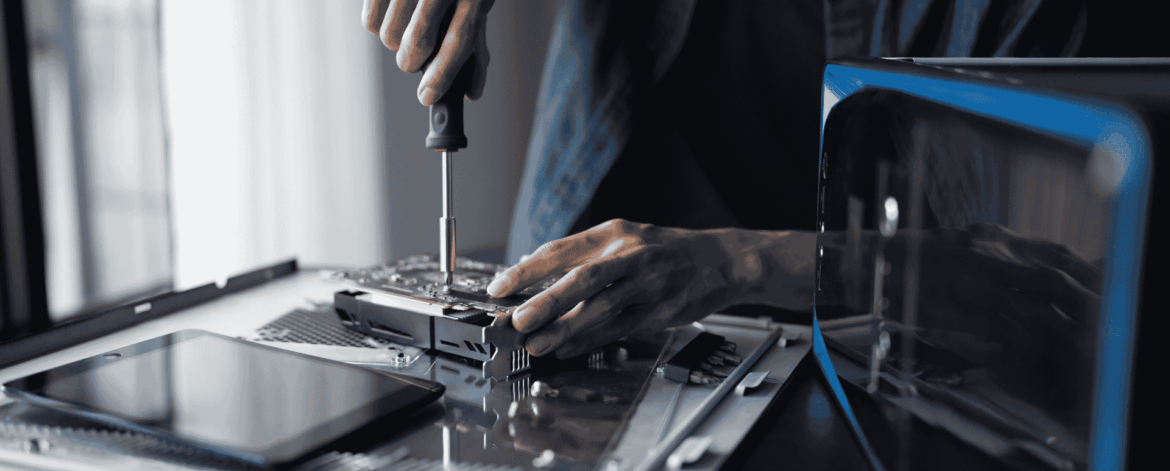
IT hardware procurement for home-based care agencies is what ensures caregivers and office staff get secure, reliable, properly configured devices from day one. This FAQ answers the most common questions agencies ask about procuring, deploying, tracking, and retiring the laptops, tablets, and phones their teams depend on.
1. What is IT hardware procurement and deployment?
IT hardware procurement is the process of selecting, purchasing, and managing business technology devices such as laptops, desktops, tablets, and mobile phones. Deployment refers to preparing those devices for use by configuring operating systems, installing applications, applying security settings, and assigning them to employees.
Together, these processes help ensure employees receive secure, properly configured devices that support productivity and compliance.
2. Why is hardware procurement important for Home Based Care agencies?
Home Based Care agencies depend on technology to access EMR/EHR systems, scheduling software, billing platforms, communication tools, and patient information.
Without a structured procurement process, agencies may purchase devices that lack the performance, security, or compatibility needed to support daily operations. This can result in employee frustration, operational disruptions, and increased technology costs.
3. Should Home Based Care agencies use consumer-grade or business-grade devices?
Business-grade devices are generally recommended for Home Based Care agencies.
Business-class hardware often includes stronger warranty programs, improved reliability, enhanced security features, and better support options than consumer-grade devices. These devices are designed for daily business use and typically provide a longer lifecycle and lower total cost of ownership.
4. Why should different employees receive different types of devices?
Not all employees have the same technology requirements.
For example, field caregivers may primarily need mobile devices or tablets, while office-based employees may benefit from desktop workstations and multiple monitors. Leadership teams may require portable laptops that support travel and remote work.
Matching hardware to job responsibilities helps improve productivity while avoiding unnecessary technology expenses.
5. What security measures should be applied before a device is deployed?
Before a device is issued to an employee, it should be configured with appropriate security controls.
Common deployment tasks include:
- Operating system updates
- Device encryption
- Endpoint protection software
- Multi-factor authentication
- User account configuration
- Application instalation
- Remote management tools
These controls help protect patient information and reduce cybersecurity risks.
“Setting up a standardized hardware procurement and deployment process does much more than provide employees with devices. It creates a secure, efficient technology environment that supports patient care, improves onboarding, and helps organizations scale with confidence.”
Brendan Duebner, President, IT Total Care
6. What information should be tracked in a hardware inventory?
A hardware inventory should provide visibility into all technology assets owned by the organization.
Typical information includes:
- Device type
- Manufacturer and model
- Serial number
- Assigned employee
- Purchase date
- Warranty status
- Deployment date
- Expected replacement date
Accurate inventory records support asset management, budgeting, compliance efforts, and employee onboarding.
7. How often should home-based care agencies replace devices?
Most organizations follow a hardware refresh cycle of approximately three to five years.
The appropriate replacement timeline depends on factors such as device performance, manufacturer support, warranty coverage, and business requirements. Replacing aging hardware proactively can help reduce downtime and avoid costly emergency purchases.
8. How does hardware procurement impact employee onboarding?
A well-defined procurement and deployment process helps ensure new employees receive fully configured devices on their first day.
When devices are prepared in advance, employees can begin working immediately rather than waiting for technology setup, software installation, or account configuration. This creates a better onboarding experience and improves productivity from day one.
9. What should happen to a device when an employee leaves a home-based care agency?
When an employee separates from the agency, their assigned device should be collected, inspected, and removed from active use until appropriate steps have been completed.
These steps often include:
- Disablling user access
- Removing company accounts
- Backing up required data
- Securely wiping the device
- Updating inventory records
- Preparing the device for redeployment or retirement
A documented offboarding process helps protect patient information and maintain accountability for technology assets.
10. How can an IT MSP help manage hardware procurement and deployment?
An experienced IT MSP can help Home Based Care agencies standardize hardware procurement, streamline deployment, improve security, and manage the entire device lifecycle.
Services often include:
- Hardware planning and standardization
- Vendor management and procurement
- Device provisioning and deployment
- Asset inventory management
- Security configuration
- Lifecycle planning
- Secure device retirement
By partnering with an IT MSP, agencies can reduce administrative burden, improve operational consistency, and ensure employees always have access to reliable technology.
Need Help Managing IT Hardware Procurement and Deployment?
IT hardware procurement and deployment are critical components of a secure and efficient Home Based Care organization. A structured process helps agencies improve onboarding, strengthen cybersecurity, maintain compliance, and maximize the value of their technology investments.
At IT Total Care, we help Home Based Care agencies manage the entire hardware lifecycle, from procurement and deployment to inventory management and retirement. Contact our team to learn how we can help your organization build a more secure and scalable technology environment.